
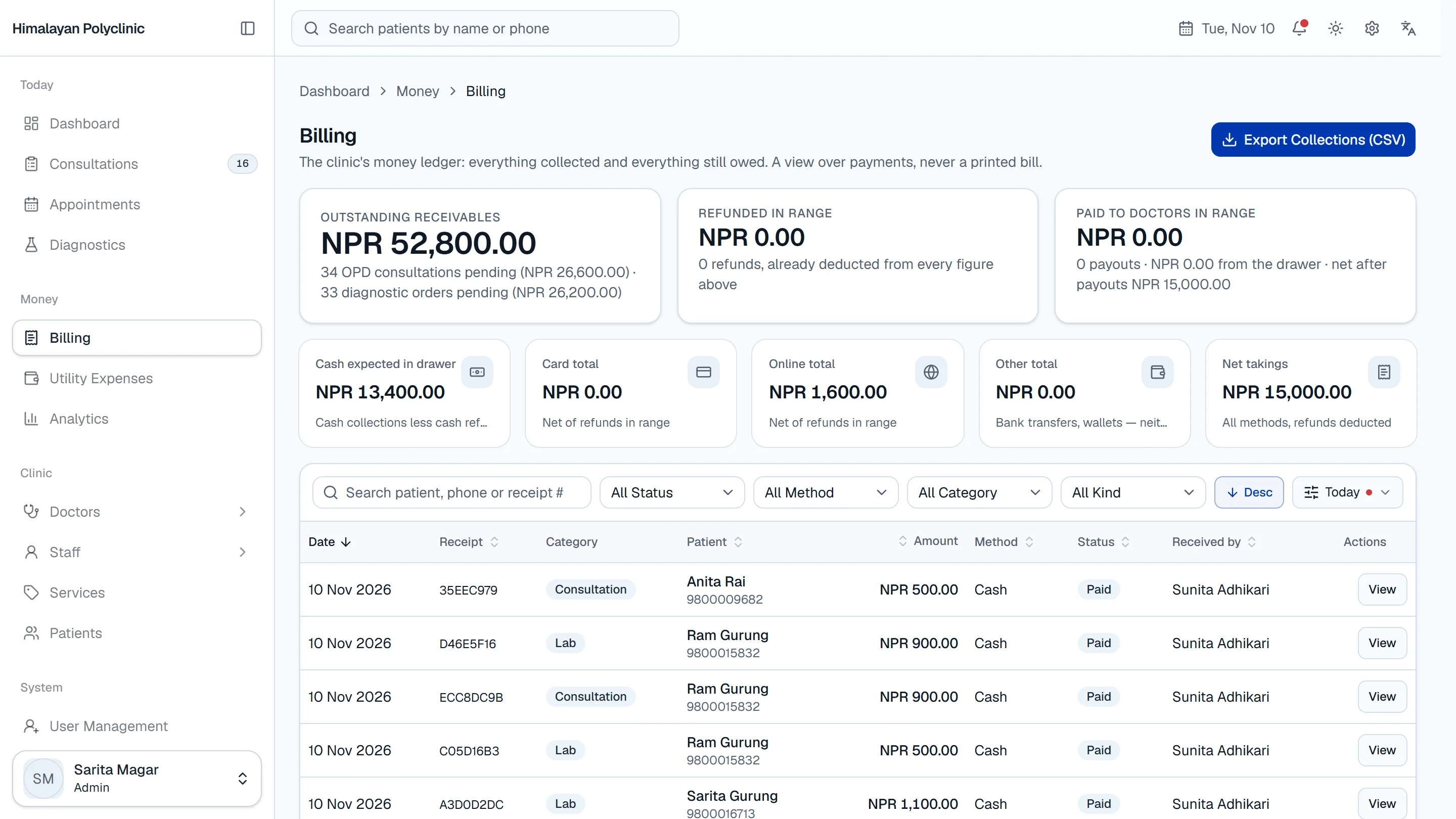
Pending payments
Never lose a lab fee again.
Every unpaid amount is visible until it’s settled.
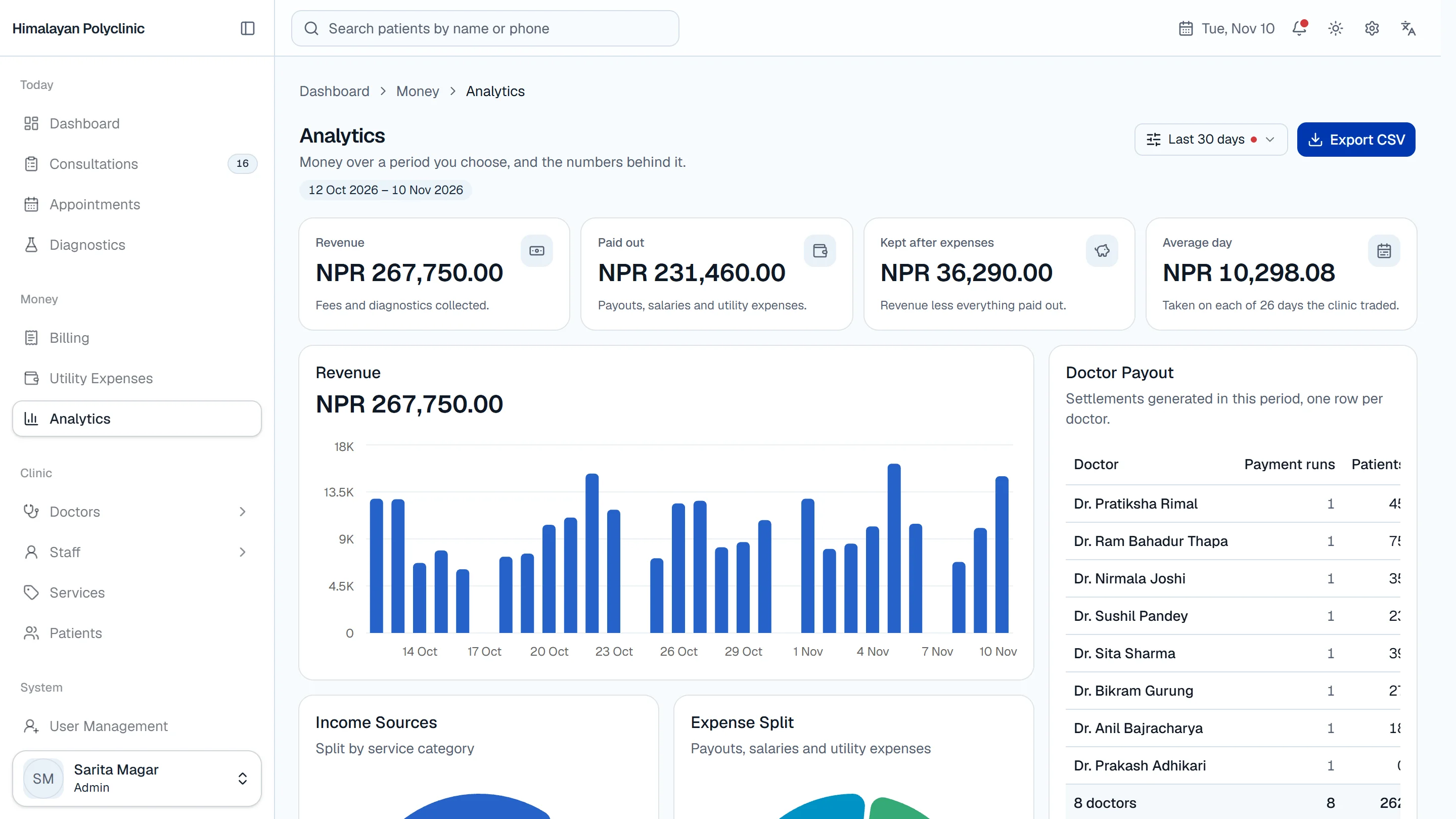
PCMS by Vektide
One system for reception, laboratory and admin, so every patient visit, test and rupee is accounted for.
Live at Gorkhakali Polyclinic
Consultation slips, lab registers and cash books don’t talk to each other. Lab fees go unpaid, queues get messy, and at the end of the day nobody knows the real numbers.
Pending payments
Every unpaid amount is visible until it’s settled.
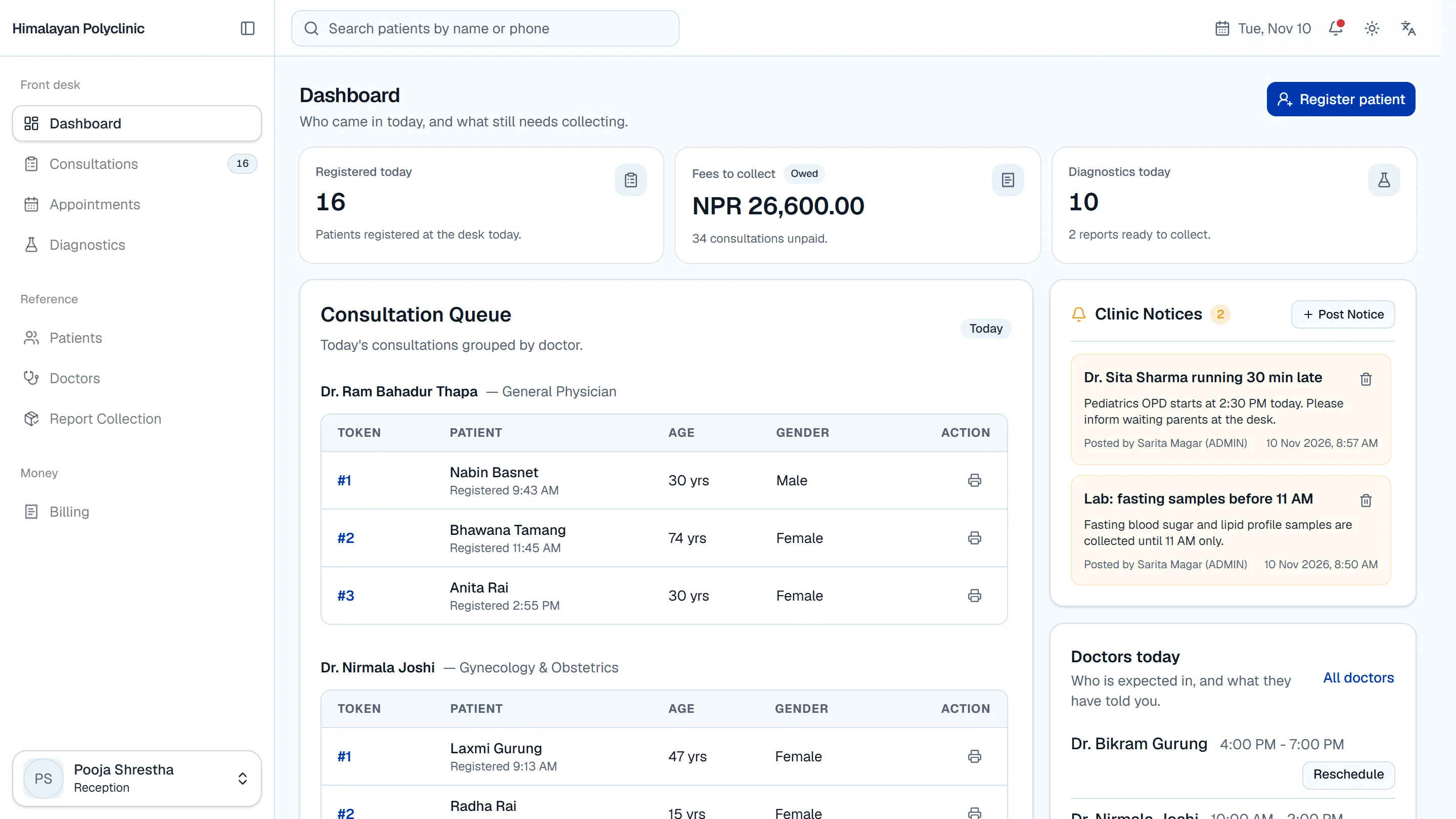
Token and queue
Reception stays calm while the queue moves itself.
Money flows
Consultation and lab income each have their own books.
Role-based access
Admin, reception and lab each get their own view.
Reports
Daily and monthly reports, ready when you close.
Managed for you
We handle hosting, updates, backups and security. Nothing to install.
Every clinic gets the core system. Add modules now or later, and pay only for the ones you use. A new module goes live the same day, with no reinstall.
Core · included for every clinic
Add-on modules
Lab, X-ray, ultrasound and ECG: orders, sample queue, results and lab billing.
Book ahead, then check patients in with one click.
Calculate what each doctor earned and record settlements.
Staff directory, monthly salary slips and payroll.
Weekly shifts and duty rotas.
Rent, electricity, supplies and other day-to-day spending.
Weekly sitting hours, leaves and delays.
Show reception which doctors are in the clinic right now.
Register visits, issue tokens, manage the queue and collect consultation fees in seconds.
Patient, doctor and fee on one screen.
Printed with your clinic’s name and logo.
Collected and recorded as they happen.
No login for doctors
Doctors don’t need to log in. Reception and the lab keep every visit, test and fee in order.
Add-on module
Record tests, track results and see exactly which lab payments are still pending.
Lab, X-ray, ultrasound and ECG orders land in one worklist.
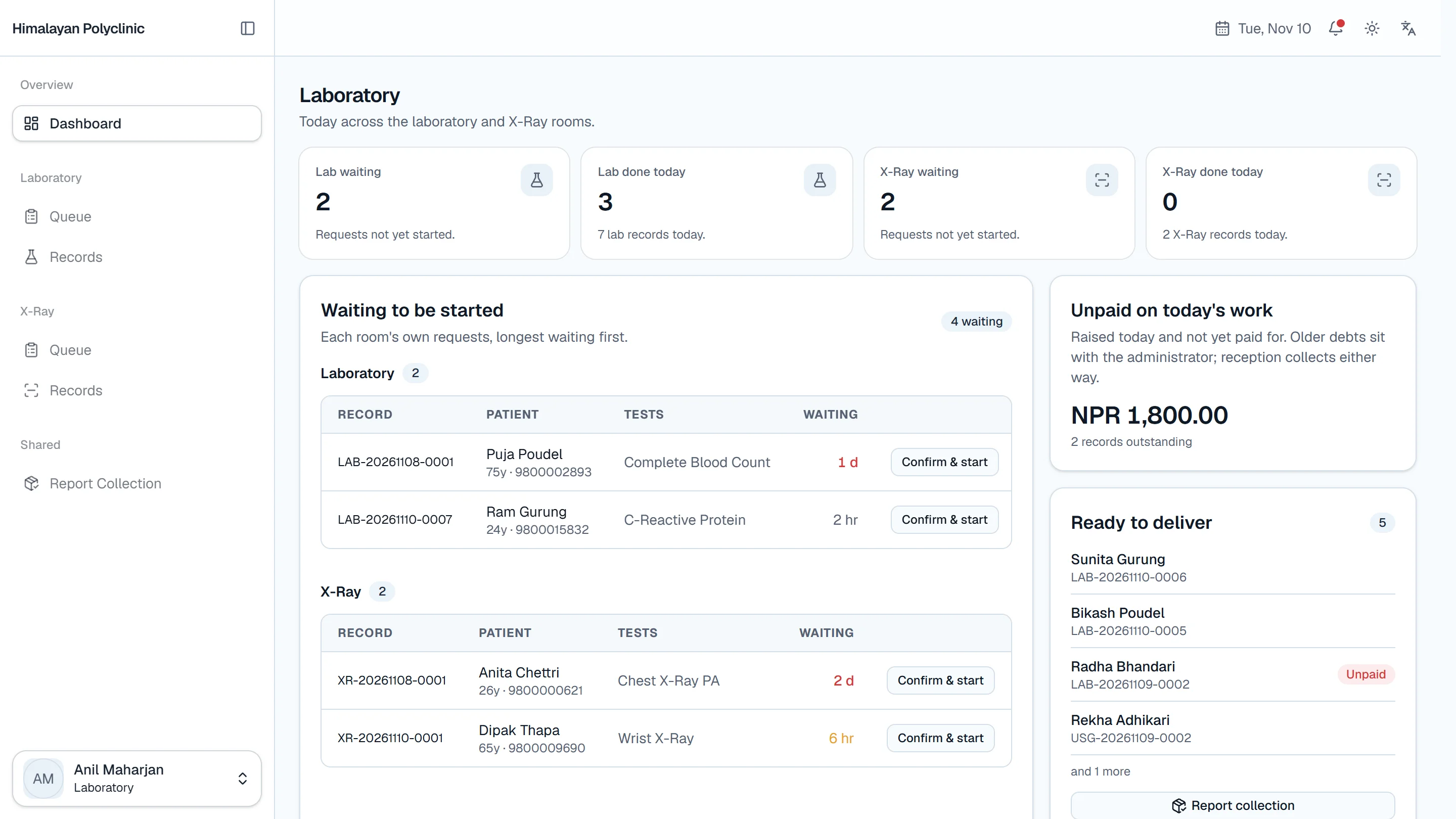
Unpaid tests stay on the list until they’re settled.
Lab income is tracked apart from consultations, and reported together.
Daily income, pending dues and clinic activity on one dashboard. Full control over users and settings.
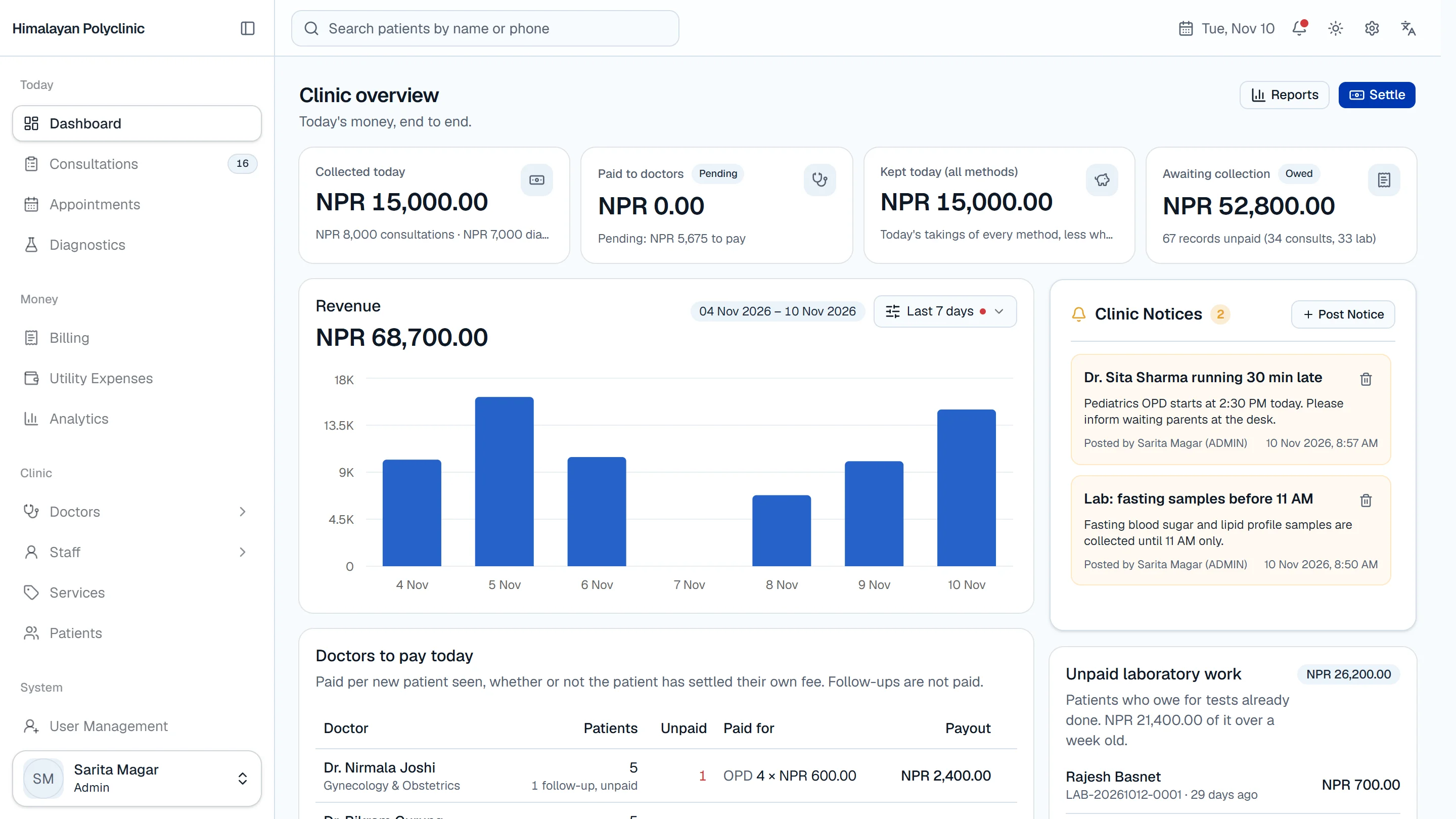
Daily and monthly reports
Consultation and lab income, side by side, before the last patient leaves.
From first demo to a clinic running on PCMS, with the same team at every step.
We show you PCMS with your clinic’s workflow in mind.
We set up your clinic’s private system and configure doctors, tests, fees and staff accounts.
Your team learns it in a day.
We stay on call while you switch over.
A one-time license for the core system and the modules you choose, plus a yearly plan for hosting, updates, backups and support. Billed in rupees.
Get a quoteYour clinic gets its own system and its own database. We handle hosting, updates, backups and security.
Your data
PCMS has no tracking and sends your patient and financial records nowhere. Your data belongs to you.
Request a demoSeparate from every other clinic.
Stored off-site, every night.
PCMS runs in the browser.
Sunday to Friday, 9 AM to 5 PM, Nepal time.
PCMS is live at Gorkhakali Polyclinic, built alongside the people who use it every day.
“We used to close the day not knowing what we’d actually earned. Now every rupee is on one screen before the last patient leaves. ”
| Task | Before | With PCMS |
|---|---|---|
| Consultations | Paper slips | ✓Token and receipt in seconds |
| Lab fees | A register, often unpaid | ✓Pending until settled |
| The queue | A crowd at the desk | ✓Patients know their turn |
| End of day | Counting cash twice | ✓Daily report, ready |
What clinic owners ask us most before switching to PCMS.
No. We host PCMS for you. Your clinic gets its own private system and database, and we set it up and maintain it.
Yes. Your clinic’s data is kept in its own database, separate from every other clinic, with encrypted backups stored off-site. PCMS has no tracking and sends your patient and financial records nowhere. Your data belongs to you.
Yes. We adjust fees, tests, roles and workflows during setup.
PCMS runs online, so it needs a connection. We help you set up a backup connection, like a 4G router, and a simple paper fallback. Anything written on paper is entered once you’re back online.
You call us directly, and we fix most issues remotely, without a site visit. We’re available Sunday to Friday, 9 AM to 5 PM, Nepal time.
Still have a question?Talk to us